IBM Thinkpad R31 Laptop Disassembly | Service Manual
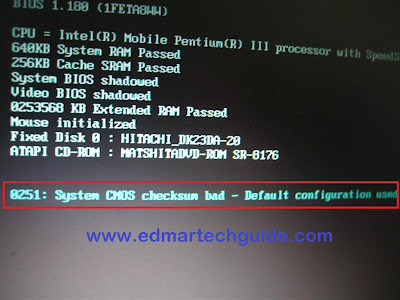
How to disassemble IBM Thinkpad R31 Laptop | How to take apart Thinkpad R31 I recently repaired an IBM Thinkpad R31 Laptop with an error message about CMOS checksum being bad. This error is usually caused by a dead (empty) CMOS battery. This battery lasts for 3 to 5 years. Some says that it even lasts for 10 years. Whatever the case, you will need to replace the CMOS battery (also known as BIOS battery). The CMOS battery is usually located at the motherboard. Some under the laptop compartment while in other models it's located right underneath the keyboard. In the case of IBM thinkpad R31 laptop, it is located under the keyboard. So, you will only need to disassemble the laptop keyboard to have access to the CMOS battery. Here is the exact error message that show up once you open up an IBM Thinkpad R31 laptop that has a CMOS battery problem: Error Message: 0251 System CMOS checksum bad - Default Configuration used Screenshot: Solution: Change the CMOS batt...
