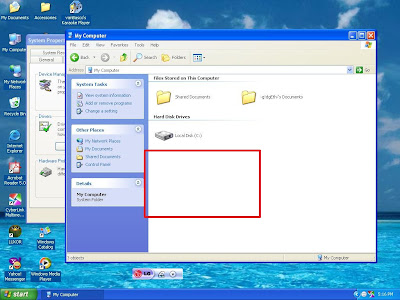
Funny UST Scandal Virus Removal Tool

Automatic remover = Download this: Funny UST Scandal Avi.exe Remover

Manual:

Software used to build the virus= AutoIt V3
drop Files- killer.exe(4084 kb) in c:\windows\
lsass.exe(3920kb) in c:\documents and settings\all users\start menu\programs\startup
smss.exe(4088kb) in all root drives and in c:\windows
autorun.inf(1kb) in all root drives with a script

[autorun]
open=smss.exe
shell\Open\Command=smss.exe
shell\open\Default=1
shell\Explore\Command=smss.exe
shell\Autoplay\command=smss.exe

Funny UST Sandal.avi.exe(228kb) in all root drives

Registry Entries-HKLM\Software\Microsoft\WindowNT\CurrentVersion\Winlogon=shell(killer.exe)
HKCU\Software\Microsoft\windows\Currentversion\Run=runonce(c:\windows\smss.exe)


HOw to remove this lame virus????

-first download taskiller in http://www.rsdsoft.com/task_killer/index.php4 and install it to
your computer because you cant use taskmanager to terminate the virus(the virus automatically close taskmanager).

-run taskiller and left click it on the system tray(the one with a skull icon)

-click processes

-to close the virus, select process and click yes to the question

(process to close)
1.killer.exe
2.lsass.exe
3.smss.exe

note: close only file that have the same icon of Funny UST S*andal.avi.exe


CMD STEPS
1-now, click "start" then "run"
2-type "cmd" without quotes
3-type "cd\" without quotes
4-type "attrib -h -s smss.exe" without quotes
5-type "attrib -h -s autorun.inf" without quotes
6-type "start c:" without quotes(a new window will open)
7-select smss.exe,autorun.inf,Funny UST Scal.avi.exe and delete it

-if theres any drive or a partition type "d:" in command prompt without quotes
"d" is the drive letter then repeat the CMD STEPS number 4-7 above.......

-now type this on the command prompt "cd windows" without quotes(na naman!)
-type "attrib -h -s smss.exe" without quotes(uli)
-type "start c:\windows" without quotes(hay naku!)
-delete the file smss.exe
-now, goto c:\documents and settings\all users\startmenu\programs\startup
-delete lsass.exe

-click "start" then "run"
-type "regedit" without quotes then delete the registry entries above....

special thanks to fs6519 of TPC


Any suggestion, question or violent reaction? Feel free to leave a comment.

View Random Post

87 comments

  1. Anonymous // November 28, 2007 10:00 AM  

    Thanks for this it really helps. (i hope your not the creator.)

  2. kazura // November 30, 2007 8:43 PM  

    Thanks! napakagaling!!! natuwa ako sa virus hehe! pahirap!!!!!!!

  3. Anonymous // December 1, 2007 4:57 PM  

    Thanks for this it really helps. (i hope your not the creator.)

  4. tagahanga // December 2, 2007 8:19 AM  

    Ang lupit mo BORDS!
    Slamat ng maraming marami. :D

  5. Vicheanak // December 3, 2007 6:48 AM  

    Dude... you are my savior!!!

  6. BUGSKY777 // December 4, 2007 7:34 PM  

    NICE NAMANN,,, AYOS NA AYOS TO... PINABILIS, PINADALI ANG PAGTANGGAL NG TANGAHING VIRUS!!!!

  7. nakamura_michiyo // December 5, 2007 7:51 AM  

    hai... dko alam kung tanga lang ako at dko naayos... pero eto ang tumulong sa akin http://www.techsupportforum.com/sectools/sUBs/ComboFix.exe
    combofix... ayos na ayos :D if ever bumalik

  8. ST0n3c4p3r // December 5, 2007 9:29 PM  

    Thanx For The Detailed Help Manual....I Just Downloaded It & Hope That It Really Helps....One Thing...Does iT Damages Any Of The Files Of My PC? 'Coz I Have Loads Of Data Backups In My HDD......

  9. prajwal // December 6, 2007 10:14 AM  

    hey thanks a lot ....man u guyzz should be honoured..... thanks..a.lot............

  10. Ram // December 6, 2007 8:35 PM  

    HI Sir this Ram from India. Thank u for ur valuable information. Now my messenger is working properly

  11. Ashish // December 11, 2007 11:22 AM  

    Hey,

    The problems most ppl have faced has not been faced by me yet. I hav a copy of that file residing on my desktop but i cant delete it but i am able to use the messenger properly.

    probably thats because i hav not run this proggramme. But when i open the site suggested by you to down load the task killer or the site to down load an anti viral suggested by another gentleman it gets automatically closed and i cant view its contents. what can i do?

    Plz suggest thanx

  12. ZuPEr InggO!! // December 12, 2007 2:56 AM  

    WoW!! haNep!! thanK u VerY mUch!

    Im sO glaD i foUnd Ur Site. It Helps Me tOo mUch!! 2 daYS Ko d TinUlugaN anG vIrus na Yan.. eTo paLA anG site NA Wer I caN cOunt On. In JusT oNE cLick. maIntaIned Na lahAt./.

    ThaNk U sO muCh!!!!

    GooDlUck!! MorE Power!!!

  13. Aldrin // December 12, 2007 5:09 PM  

    Pare sanan d ikaw ang gumawa-aldrin mquinana

  14. Faye // December 13, 2007 1:33 AM  

    that virus erased my SD card - may documentation pa ng workshop doon. I was going to burn the pictures - I left the SD card on the slot because I got called over to attend a meeting. Pagbalik ko, yun virus na lang laman ng SD card. Grrrrrrr. Salamat sa remover.

  15. Anonymous // December 13, 2007 3:06 AM  

    Guys, i've tired the remover, the manual procedure, and perhaps FIVE BLOODY ANTI-VIRUS!! they worked, partially, coz check out your C:\windows\system32. The LSASS.exe and SMSS.exe are still there.. Sana ma-rape ng bakla ang gumawa ng virus!!

  16. TechPinoy // December 13, 2007 4:40 PM  

    @anonymous

    hehe brutal ka naman. actually, lsass.exe and smss.exe are legitimate window files. so you don't have to worry about it

  17. PT // December 15, 2007 1:03 AM  

    regarding po sa regedit. sabi po kasi ssa instruction>>> type "regedit" without quotes then delete the registry entries above.... thus it means "ALL" registry entries????? curious lang po.. di kasi me tech specialist eh...

  18. TechPinoy // December 15, 2007 2:07 AM  

    eto lang po delete nyo:

    Registry Entries-HKLM\Software\Microsoft\WindowNT\CurrentVersion\Winlogon=shell(killer.exe)

    HKCU\Software\Microsoft\windows\Currentversion\Run=runonce(c:\windows\smss.exe)

  19. Anonymous // December 15, 2007 3:57 AM  

    thanks for the reply sir TechPinoy... question po ulit... heheheh yung sa HKLM entry, delete lang po ba ay yung killer.exe??? same din po ba sa HK_current_user;smss.exe lang??? kasi yung nakita ko sa HKLM is explorer.exe,killer.exe.... tapos sa runonce is c:\WINDOWS\smss.exe.. thanks alot.. noob lang kasi ako...

  20. HeroOfTheDay // December 15, 2007 4:04 AM  

    @PT

    delete mo yung buong entry. ayaw ba gumana sayo nong automatic remover? para di ka na mahirapan

  21. PT // December 15, 2007 4:19 AM  

    automatic remover??? nag manual lang po kasi ako eh... kaya di ko alam masyado.. do you have the link for the automatic remover???

  22. PT // December 15, 2007 4:34 AM  

    my bad..... SORRY!!!! nakita ko na po... sensya na....

  23. TechPinoy // December 15, 2007 7:39 AM  

    that's okay! hope it helps!

  24. Anonymous // December 20, 2007 9:30 AM  
    This post has been removed by a blog administrator.
  25. Anonymous // December 20, 2007 6:58 PM  

    Hello,

    Please help. I can't run the automatic remover. There's an error with the file. The error says the application can't run because there's a certain file missing.

    Thanks a Lot

  26. TechPinoy // December 20, 2007 7:41 PM  

    can you post the exact wording of the error?

  27. latiff spheretech // December 24, 2007 1:15 AM  

    tq 4 ur help. its help a lot -

  28. iceversion // December 24, 2007 7:00 AM  

    kilala ko creator, harhar

  29. Anonymous // December 26, 2007 11:40 PM  

    After doing the manual removal as well as using the quick remover, i suspect that the virus is still there...I cant open my c drive thru windows explorer...this message occurs: "C:\ application cannot be run in Win32 mode". Moreso, i still can't view all my hidden files and some other weird stuffs...I can't afford to reformat my pc at this time...can anybody help me on this!! I really need it badly!!

  30. kazuyen // December 27, 2007 4:41 AM  

    pano po ba maalis ng 2luyan kc pag restart ko ng pc nandun parin tsaka po d ko tlga ma gets yung manual way of removing...

  31. Anonymous // December 27, 2007 6:07 PM  

    i cant do it, the task manager appear and says, program not responding. i closed all applications and restart my pc, but then again it says, not responding. what shall i do?

    please try to ym or email me if you can, prbc_marketing@yahoo.com

  32. ionyl // January 1, 2008 6:08 AM  
    This post has been removed by a blog administrator.
  33. ces // January 6, 2008 2:18 AM  
    This post has been removed by a blog administrator.
  34. Anonymous // January 6, 2008 3:48 AM  
    This post has been removed by a blog administrator.
  35. bubbles20 // January 7, 2008 3:38 AM  

    Hi! I did the automatic and manual removal of the virus and successful naman xa with drive C and D kaso everytime na may maiinsert na mga usb devices may autorun.inf na naddtect yung antivirus ko. does this mean na nasa system ko pa rin yung virus? and is it true na kht ire4mat ko yung pc andun pa rin yung virus? annoying na kc eh... pls reply...i badly need your help...u guys rock btw...tnx!

  36. TechPinoy // January 7, 2008 3:54 AM  

    @bubbles20

    baka ang nadedetect ng antivirus mo yung autorun galing sa flash drive hindi sa computer mo mismo. pag ganon, hindi pc mo may problema, yung flash drive ang may virus

    pa scan mo yung flash drive mo sa antivirus mo, pag di kinaya ng AV mo, palit ka ng avast. yun ang gamit ko. so far so good, wala namang virus na nakakalusot

  37. Anonymous // January 7, 2008 5:20 AM  

    THANKS A MILLION DUDE.....!!!!!
    That small remover program really works...It was able to remove that damn funny UST scandle.avi shit in seconds...I tried atleast half a dozen anti-viruses n anti-spywares but they couldnt do the job...i wish i had found this thing earlier...wud have saved all the time wasted in browsing for a solution n downloading anti-viruses:P...neys i whi ever created that remover really rocks..!!!
    THNX a lot again....!!!!!!!!11

  38. Anonymous // January 7, 2008 2:48 PM  

    thnks for the remover.. BUt sTill i can't view my hidden files.. i check view hidden and system files but it automatically go back to "Do not show hidden and system file" plzz Help?? what should i do.. i need help on that...

  39. Anonymous // January 7, 2008 11:38 PM  
    This post has been removed by a blog administrator.
  40. bubbles20 // January 8, 2008 5:07 AM  

    tnx a lot techpinoy!galing mo tlg...idol!Ü nod32 gamit q, and naddtect naman nya ung virus...alarmed lng ako kc bka pc ko yung nagsspread s mga usb...hehehe... tnx ult!

  41. Anonymous // January 8, 2008 7:44 PM  

    tnx bro, pahirap....

  42. Anonymous // January 9, 2008 1:35 AM  

    ang galing niyo
    i swear!
    im officially a fan of you guys
    natanggal na ung pesteng virus..
    and you have a great sense of humor
    so great tlga
    thanks a lot
    Godbless!

  43. Anonymous // January 9, 2008 11:40 PM  

    thanks po sa help!!!! u saved my computer!!!

  44. Anonymous // January 10, 2008 4:18 AM  

    ok na. Thank you believe ako sayo. Pero congrats dinsa gumawa ng virus kc first time kong di nasolve ito. Kailangan ko pa ang task killer. Congats to both of you.

  45. bubbles20 // January 11, 2008 3:42 AM  

    i have a new prob! nddtect pa rin ng AV ko yung virus sa drive C days after the removal...d ata xa natatanggal permanently...shud i re4mat my pc? wud this solve the prob?yoko sana eh kc may vital files ako... yung AV ko nman trial version lang so pag expired na xa bka mas vulnerable nko sa virus... one more thing, i remember dti nung gamit ko ung taskkiller may lumabas na msg na system shutdown or something after atempting to delete the processes. nagwork b ung pgdelete or not? help plz! huhu...

  46. Anonymous // January 12, 2008 9:33 AM  
    This post has been removed by a blog administrator.
  47. shivani // January 12, 2008 9:36 AM  
    This post has been removed by a blog administrator.
  48. Anonymous // January 13, 2008 12:15 AM  

    Thanks! it really helps.

  49. Anonymous // January 14, 2008 12:02 PM  

    Hi
    Thanks a lot. My AVG Free version was no help. I used the REMOVER and followed the steps. My system is clean now. Thanks a lot once again
    Gopinath S

  50. Anonymous // January 15, 2008 2:29 AM  
    This post has been removed by a blog administrator.
  51. Mikalela // January 15, 2008 2:32 AM  

    mga tol pnu namn alisin ung spywer?my remover b kau?pasend nman.

  52. ienne // January 15, 2008 8:16 AM  

    THANK GOODNESS!!!!!!

    that virus has been causing me problems and I was soo worried that Id have to get my laptop fixed at some overkill shop.

    My laptop is my life and you just saved it!

    *hugs*

  53. TechPinoy // January 15, 2008 6:26 PM  

    I'm sorry, i had to remove some comments here. i am having problem with adsense. It suddenly stop showing ads. weird thing is, only on this page. if any of you can help me, i would be grateful.

  54. TechPinoy // January 16, 2008 3:12 AM  
    This post has been removed by a blog administrator.
  55. rice // January 16, 2008 6:35 AM  

    thanx ha..sa gumawa ng gamot na ito...

    it's really of a great help..


    marjouricey ng cebu...

  56. Anonymous // January 16, 2008 6:36 AM  

    thanx ha..sa gumawa ng gamot na ito...

    it's really of a great help..


    marjouricey ng cebu...

  57. Anonymous // January 16, 2008 9:00 AM  

    THANK YOU, THANK YOU, THANK YOU!!!! Words cannot describe how grateful I am. That program removed the little piece of shit in like 3 seconds! Thank you! :D

  58. Anonymous // January 18, 2008 5:08 AM  

    Thanks talaga idol! Shit kasi ung virus nakakinis tlga.. Ang lupit mo pre. Ayos na ayos na ang messenger ko.. :D

  59. Anonymous // January 19, 2008 12:59 AM  

    hi.. slamat ha.. la na ung pesting virus na un..
    hehehehe.

  60. kshcute012 // January 19, 2008 9:32 PM  

    thx! it really did wOrk!;)

  61. cesz // January 20, 2008 1:19 AM  

    tnx po s pgremove nung ust scandal n un.. tnx po tlga.. more power Godblesz!!!!!!!!!

  62. Anonymous // January 20, 2008 9:13 AM  

    thank you very much!! you saved my life!! i thought i was going to be grounded for life!! thank you!!

  63. Anonymous // January 22, 2008 11:10 PM  

    Thanks,

    It really worked

    thanks alot

  64. my little world // January 23, 2008 6:28 AM  
    This post has been removed by the author.
  65. Anonymous // January 28, 2008 6:40 AM  

    i have wat this needs....
    lets see if it does what u say it shud...
    well thanks for this ray of hope.

  66. Anonymous // February 12, 2008 7:49 AM  

    hi thanks for the steps
    i installed the task killer ended the process and the virus is gone
    but the process keep showing up
    i cant see my hidden files plz
    plz help me

  67. Edmar // February 12, 2008 5:17 PM  

    you can use RRT to remove restrictions to your system like hidden files not showing up.

    download it here:
    http://www.ziddu.com/downloadlink.php?uid=ZK2elZWnZ6%2BelOKnYqqhkZSmX62anZmm2

  68. Anonymous // February 16, 2008 6:00 PM  

    Mga pards, no need to download the software... SYSTEM RESTORE lang ayus na!!! =)

  69. RAMPAGE // February 16, 2008 6:02 PM  

    Mga pards, no need to download the software... SYSTEM RESTORE lang ayus na!!! =)

  70. Anonymous // March 6, 2008 12:10 AM  

    Funny UST Scandal.avi.exe?! san ba nakukuha ito?! Where can I get this virus?! If ever I watched porn movies do I get this virus?!

  71. HeroOfTheDay // March 6, 2008 4:52 AM  

    @anonymous

    nope. you can get it through yahoo messenger and/or flash drives

  72. emerson // March 14, 2008 9:15 AM  

    just get the noob killer from this guy's page, all should be fixed after you run it.

    download, extract, run the noob killer, click the funny ust button and you're done.

    the mentioned auto mated fix leaves some files on your PC, it doesn't fix the registry,

    page is found here
    http://leerz25.sitesled.com/files/tools/fixes/NOOB_KILLER.by.Leerz.zip
    http://www.4shared.com/file/39705109/1828d25c/NOOB_KILLERbyLeerz.html?dirPwdVerified=6b1c883f
    http://leerz25.sitesled.com
    http://www.4shared.com/dir/5955047/6c1c7b09/sharing.html

    emerson

  73. annabelle // March 18, 2008 11:16 PM  

    HELP NMN PU BKT PU GANUN?? ONCE NA IOPEN Q UNG LINK NA NAKALAGAY SA TAAS UNG Funny UST Scandal Avi.exe Remover MAOOPEN XA TPOS BGLANG MAG KOKOCLSE.... KAYA HINDI Q RIN XA MA DOWNLOAD!... HELP NMN PLSSSSSSSSS T_T

  74. Pradeep Rathi // March 21, 2008 4:59 AM  

    That's the only sensible reply I have seen on net. I am sure my problem will be solved.

  75. virus critics // March 27, 2008 1:58 AM  

    you guys are experementing.
    no doubt for me you created this virus. "the maker is the provider, and the provider is the maker."
    the devil bless you.
    the antivirus is another virus that would replace funny scandal after you remove it. Guys, it's still there!!!
    bwa,ha,ha,ha.

  76. Ysh // March 27, 2008 9:39 PM  

    elow po..help po pls. di ko po kc to mahanap sa registry ko..

    HKLM\Software\Microsoft\WindowNT\CurrentVersion\Winlogon=shell(killer.exe)

    HKCU\Software\Microsoft\windows\Currentversion\Run=runonce(c:\windows\smss.exe)

    pde po ba humingi ng detailed steps kng pno to mahanap?

    thanks!

    such-a-cutie.blogspot.com

  77. Tesnuski // March 29, 2008 12:01 PM  

    Isa kang alamat... letch tlga ung virus na un...

  78. haritha // April 20, 2008 8:04 PM  

    hi friends

    this virus is troubling since 3 weeks and i am not able to delete this. tried installing task killer but when i right click on skull it is not showing me any option like processes what should i do, can u please help me out. i am not able to go to command it is automatically closing. what should i do. Please help me

  79. chadrey // May 3, 2008 2:10 PM  

    is "smss.exe" a legitimate window file??? bakit most of the posts of removing that UST scandal virus said that its a virus?!

    pls verify...

  80. bryan // May 13, 2008 3:00 AM  

    GUYS PLEASE HELP ME OUT!! STILL THE VIRUS KEEPS PESTERING ME. I TRIED CLICKING THE LINK OVER AND OVER AGAIN, BUT IT DOESNT WORK COZ IT CLOSES ITSELF RIGHT AWAY EVERYTIME I OPEN IT THATS WHY I CANT STILL REMOVE THE VIRUS. WHAT IS MY OTHER OPTIONS GUYS??PLEASE HELP MEMOUT! PLS.PLS.

  81. Anonymous // May 18, 2008 9:36 AM  

    My laptop was infected with FUNNY UST scandal virus yesteday. I followed below procedure.

    http://www.edmartechguide.com/2007/11/funny-ust-scandal-aviexe-remover.html

    At the end I tried to delete lsass.exe from the registery as I couldn’t delete it from there…restarted the system so that i can delete it from safe mode. But i couldn’t go into command prompt in safe mode. I treid to restart my system agian…then onwards its taking hours to get the initial windows screen where it prompt my password to login into my account. Now there is no accounts in that screen and i couldn’t login.

    Is it possible to retrieve my data from this system? Do i need to format my system?

    Please help me!

  82. Anonymous // June 20, 2008 9:13 AM  

    i just want to know if that virus would still run though i didnt open it nung natapos na sya mdownload,.. please email me,.. paul.lhet@lycos.com,.. that same virus infected my pc last year kxo hindi ko alam ung gnawa nung nag-ayos nito,..

  83. Anonymous // August 12, 2008 5:38 AM  

    Super Thankyou po. Sa wakas, naalis na rin xa sa system ko. XD

  84. Anonymous // August 27, 2008 8:38 AM  

    Sana yung malalaki na ang biniktima, para siyang si goliath, kayankayanan lang ang maliliit, mapang-aping lahi!

  85. silverlily01 // September 7, 2008 5:24 AM  

    Kala nung gumawa nung virus na yun! Me araw din sya! Sana nga marape sya ng bakla! Wehehe. Evilness eh no? Bat ba? Namroblema ku dahil dyan sa virus na yan!

    Nga pala, i used this link to remove na that pesky virus: sobrang helpful! Download nyo lang tas irun nyo yung application tas tapos na! :) Sana makatulong to.

  86. Anonymous // October 28, 2008 3:29 PM  

    You deserve a lot of praise... i formatted my entire drive then also cunt get thru this virus.. but u did it in 5 mins ! ! amazin ! thanx a ton !!

  87. Anonymous // November 8, 2008 10:04 PM  

    mine was detected by avg but i still can not open my drive C. how can i revert the effects of the virus without using system restore?