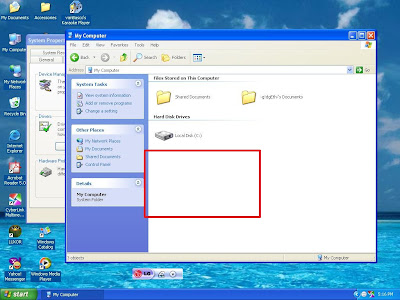
This is the symptom of a computer having bar311.exe virus A.K.A. winzip123. The virus comprises bar311.exe, password_viewer.exe, photos.zip.exe and pc-off.bat.
When you boot your Windows XP in Safe Mode the message appears: Thank You!!!
Password:Winzip123
The pc-off.bat contains the syntax like this"C:/path/shutdown -s -f -t 2 -c" which automatically shutdown your computer when you run the cmd.exe.
Manual removal is outlined below. Download bar311.exe - winzip123.exe Automatic Remover here.
Manual removal:
1. upon start up.... after os loading... go to task manager by pressing CTRL+ALT+DEL then kill password_viewer.exe or bar311.exe or photos.zip.exe...
2. EDIT the following registry entries thru regedit at start/run
[HKEY_LOCAL_MACHINE\SOFTWARE\Microsoft\Windows NT\CurrentVersion\Winlogon]
"Userinit"="userinit.exe,bar311.exe" ---> remove ", bar311.exe" only... leave userinit.exe because this is used by Windows when you log-in...
[HKEY_CURRENT_USER\Software\Microsoft\Windows\
CurrentVersion\Explorer\Advanced]
"Hidden"=dword:00000001
"HideFileExt"=dword:00000000
"ShowSuperHidden"=dword:00000001
[HKEY_CURRENT_USER\Software\Microsoft\Command Processor]
"autorun"="c:\Windows\pc-off.bat" --> remove "c:\Windows\pc-off.bat" or delete the autorun key.
3. go to your flash drive (USB drive), please use the folders view in the explorer and use the navigation panel on the left side when accessing the drives to avoid triggering the autorun... then delete autorun.inf and password_viewer.exe or bar311.exe
4. open notepad then type what is shown below as is...
@echo off
del /a /f c:\Windows\bar311.exe
del /a /f c:\Windows\password_viewer.exe
del /a /f c:\Windows\photos.zip.exe
del /a /f c:\Windows\pc-off.bat
pause
then save this as remove.bat then click to run.... this will remove the virus...
93 comments:
Your Suggestation is very help ful thans a lot
thanks, it works
Thank you. You're the man! :)
thanks a lot..but how did u know? did u develop the virus urself?
kick @ss! killed the virus in a snap. Now, time to get an avs. Thanks!
wth, avg can't piss it off...
nicely done sir!
Thanks for sharing this solution.. was very helpful! Thanks again
nice tut man....^^
dam avg....
Great! It really helps.
Thank you...
salamat
Thanks for this blog, now I can use my cmd :)
More power to you sir! :)
IT WORKS!!!!
THANK YOU!!!!
YIPEEE!!!
wow galeng
you're a genius! lufet!
AVG can't detect that @#+!% virus...but YOU'RE THE MAN!
I love you for that
salamat
I'm a Believer!!!! WAHOOO!!!!! Curse the one who created that virus, and all hail to you for your solution!!!
thanks so much!
thank you sooooo..much.... your post is superb..:)
w00t! Thanks to you problem has been resolved. It's kinda crappy that my AVG is up to date but it can't detect it. :S
wow!..thanks alot!,it really works!..:)
thanks. ang sarap mo!
I can't find the "Autorun.inf"... pls... help me... I need it ASAP... :(
The amount of replies giving me some confidence, i've been chasing this solution for almost five-six months now... let me have a try!!
Still have the "shtdown running cmd.exe " I tried all these, not a single file is present what you have specified. All seemed OK in regisry as well. What could be the issue?
thank u very much..i've been worried sick...thank u thank u thank u
your the man!!!!.....
thank you very much for this post... I remove now the #$^&*& virus... :D
Both Task Manager and Registry Editor were disabled. What now?
WOW!!! I was about to reformat my PC when I saw this link. Thanks a lot!!!
not that techie here need help...where do i go to instruction number 3? thumb drive mo?
i will manually delete the virus/es because the automatic delete does not work or the link won't open.
thanks!
magaling magaling magaling!!!!!! salamat ng marami!!!!!!
thanks...meron pla n2 eh!!thanks bro,try qoh 2...
Hello. I'm having the same problem, but I can't seem to find the exe files you mentioned in my processes. Pls. help. Thaks in advance! :)
rak rakan na toh. . galing mo pare. . astig. . salamat. . wag na magtiwala sa anti-virus. . sayo nako magtitiwala. .\m/
DUDE!!! THANKS ALOT! WHEW! THAT WAS VERY HELPFUL, EASY STEP BY STEP TOO:)
GREAT JOB!
hi.. thank you for posting this.. i've been having this problem for a long time now.. you're d man!
wonderful, halatang pinoy eh! haha panalo!
wow. this was very helpful. good thing this post is available online. i couldn't thank you enough. cheers mate!
my norton detect the said file as a virus and unsafe to run.
Thanks...it helps a lot...
My computer shuts down not just when running CMD but also when installing any anti-virus program so I'm thinking that it's the same virus.
But now it's solved. Thanks alot!!!
Mabuhay ka! :)
i also can't open task manager, it's disabled T_T
wow! it worked!!! finally got rid of that stoopid problem. thank god i found this blog. thanks dude!! da best ka!!!
you're the man! one thing.. the automated removal of the virus - the file itself is infected.
thank you very much for this guide. you're a blessing!
um. di ko dn magets #3. paexplain nmn ung thumb drive mo..?
thanks very helpful...
thanx! good job!
I was struggling with this issue for the past 5 months and your article for manual removal helped to resolve the problem.
Thanks alot for posting the solution.
Thank you very much dude, you are an angel, it worked like a charm.
Thank you very much, you are an angel, it worked like a charm.
It's really TRUE! i'm searching for this answer for so long! UR A BLESSING DUDE! thank u!
i remove viruses through the command prompt, and one day it refuses to work properly!! thanks to your guide i got it working again. thank you very much!!
na-typo ka siguro sa #3.. are u pinoy? salamat!
thanks been infected since last week after backing up some pics from a friends pc
salamat po nang marami..
ie,
thanks a lot po...
3. go to your thumb drive mo, please use the folders view in the explorer and use the navigation panel on the left side when accessing the drives to avoid triggering the autorun... then delete autorun.inf and password_viewer.exe or bar311.exe
HELP IM STUCK HIR PLSS HELP ME
hi!
i was following the step by step manual removal of the virus kaso pagdting ko sa #3 wala na..wat does he mean by thumb drive mo?
superb man thanks a lot...bravo
You're a genius!!!!
You helped me solve my problem. Mabuhay ka, brader.
You're a genius!!!!
You helped me solve my problem. Mabuhay ka, brader.
THANK YOU VERY VERY VERY MUCH!!!
Thanks a lot. It really helps. Godbless.
Thank you! I normally don't post a comment anywhere but just wanted to let you know your simple instructions worked for me. Trend Micro's housecall didn't work but your solution did the trick. Keep blogging!
what's thumb drive mo?
Edited it a while ago. Thumb drive a.k.a. flash drive.
THANK YOU!!! shit it worked! thanks a lot!
you are damm great!!!!! it works!!
THANKS,YOUR THE MAN
good job man your very helpful
wow i downloaded the auto removal..it worked..we have two desktops and one laptop that shuts down everytime i open command prompt..tried it on my laptop and my cmd works now..will try it on the 2 other units..thanks again
this is how you make a great technical guide. very easy to follow.. thanks
wow! man u saved a a lot of time! i was thinking of reformatting the system! thanks a lot bro! ur d man!!
thanks dude :)
Sir! Thx alot..
:D
thanks! downloaded the file.. works!
do I have to delete the following too?:
"Hidden"=dword:00000001
"HideFileExt"=dword:00000000
"ShowSuperHidden"=dword:00000001
I did not find any bar311.exe, password_viewer.exe, and photos.zip.exe but did find the pc-off.bat on my laptop..
will it work the same? and please do answer my question. Do I have to delete the 3 things that I have mentioned above?
whoa, this thing was posted July 2008, and is still helpful up to now. thank you so much! i enjoyed the step-by-step fix. =)
ohmigod! Thanks for the guide! It is very useful! ;D Cheers :D
For problem of this kind I would recommend that you use the System Restore tool which can easily solve problems of these kinds.
two years on the net and still very usefull...
btw YOUR MY HERO!!!!
after trying to find the fix for my computer for a long time, you're simple automatic remover program was absolutely brilliant!!!
Ultimate props!!!
this is very useful information for me!thank you for your information, i will share it with my friend.
thank you very much!!! :)
There definitely can be the issue of virus attacking your system.
I was also facing the same problem recently, you need to get the program re installed and then get it installed again....
i had experienced this once from windows xp and did the step-by-step procedure...now that i have win7, i cant find those batch files and when running the cmd prmpt shuts my pc down.. :(
You're the best man! This helped me a month ago, but I didn't get to post... so thank you! XD
Two thumbs up man. it works.thanks a lot.
Awesome solution! Thanks dude!
It is another piece of your great work. Your site is very interesting and I read your posts each time something new appears. Thanks for your work.
It's superb man..Thanks for sharing
Really a working solution and it is found that if you have antivirus even then such virus may creep in..
Post a Comment